Showing posts with label Dream On. Show all posts

Wednesday, May 23, 2018

Oh Snap | Tarrah McLean

Hi everyone!

It's Tarrah McLean back with you and today I am sharing a new layout with you using the awesome Trippy Triangles 12 x 12 cut file. 

Here is the Trippy Triangles cut file from the Etsy store I used on my layout!
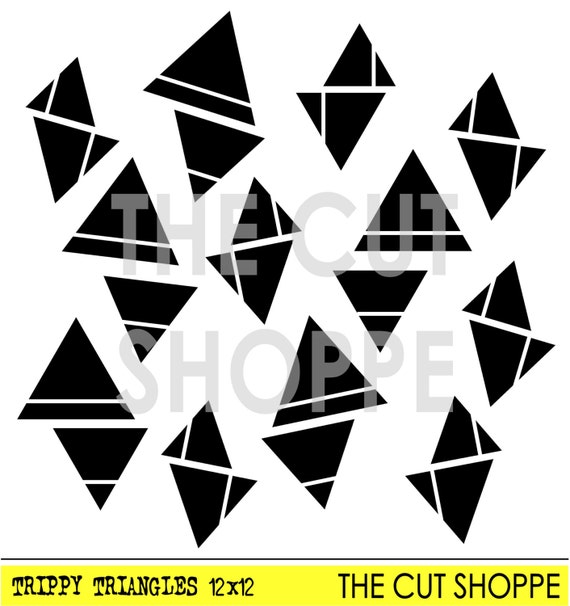
I backed all the cut out triangles from the background paper with some of the other papers by Pinkfresh Studio, I used a range of collections in this layout! I love Pinkfresh Studio products! 

My photo was the inspiration for this layout, the shark head reminded me of triangles and the Trippy Triangles was the perfect solution for the cut file to use! 

As I was rummaging through all my Pinkfresh stuff, I came across the transparent words and the one that says 'Oh Snap' was just perfect and made for this layout!

Embellishments were kept to a minimum so as to not cover up too much of the background detail. 

Thanks so much for stopping by today! Check out The Cut Shoppe Etsy store for amazing designs to use in your papercrafting!


Tuesday, May 16, 2017

Love Lives Here

Hey friends! I'm back with a new 12x12 scrapbook layout using the On The Road Cut File.

.


I started in Cricut Design Space by slicing out the United States image that has the "heart to travel". I duplicated the image and then used the contour feature to remove all of the letters and the heart to create a solid United States image. On the second image I used the contour feature to remove all of the icons but the heart. I then resized the heart and placed it onto the solid United States image in the approximate area of where I live. I then sliced the heart image through the solid US image. I resized the cut file to 11.5" and changed the setting from "cut" to "write". I then drew the image onto a piece of white cardstock using one of my Cricut pens. Then I cut the same image on a piece of patterned paper from the Pinkfresh Studio Dream On Collection. You can find step by step instruction for this Cricut process in my video at the bottom of the post.


Once the image was drawn onto the white cardstock I used my piercing tool and created string art using embroidery floss that coordinates with the Pinkfresh Studio Dream On Collection. After the string art was complete I adhered the patterned paper on top of the white cardstock. I hand stitched a border using the same embroidery floss around the edge of the United States image.


I then printed a photo twice using my Instax Share Printer and positioned the photos over the string art. I used multiple die cuts and stickers from the Pinkfresh Studio Dream On Collection. For final touches I added a few splatters of Black Heidi Swapp Color Shine.


Now you can take a look at my process video that includes a Cricut Design Space 3.0 Beta tutorial.


Thanks so much for joining me today and remember to head over to The Cut Shoppe Etsy Store to check out all of the cut files and digital collections.