Showing posts with label Hand Stitching. Show all posts

Sunday, August 25, 2019

Never Act Your Age

Hey there! It's Devra here today. sharing this project featuring the On A Roll cut file.  I've wanted to use this cut file for a while now, but just coudn't pin down an idea for it. Until now. 

I wanted something fun and whimsical for some Disneyland photos. This cut file is perfect. I did a few things to it though. First I cut out the pieces. Then I went back in to design mode and moved the pieces away from each other in order to create more space. Then I used the offset tool to cut the stitch lines. As a bonus, with all the patterned papers I used, the extra space works in my favor. Next, I want to make a pizza with this cut file!


Sometimes you need to go do something fun, where you can be silly, laugh and just do what you want. This is my sister and I doing just celebrating her birthday at Disneyland.


Thanks so much for stopping by today. See you next time. 


Wednesday, July 31, 2019

Poolside | Kelly Janes

Hey friends! Kelly back today with a new layout using an exclusive cut file that was available in the most recent Cut Shoppe Newsletter.


I started by cutting the Poolside Cut File on white cardstock. I then backed the words using different 6x6 patterned papers from the Fancy Pants Poolside Collection. I added machine stitching to the wreath portion of the cut file and hand-stitching around the words to help them stand out from the background.


I started by just adding white embroidery floss, but I didn't feel like the words stood out enough. So, I added pink embroidery floss on top of the white embroidery floss. That was a lot of hand-stitching, but I love the look!


I adhered the cut file to a pink patterned paper and added a mix of embellishments from the same scrapbook collection around the edges of the cut file. I tucked a few of the embellishments under the wreath portion and on top of the cut file for added dimension!


You want to make sure that you are signed-up for The Cut Shoppe Newsletter (see the right sidebar on TCS blog). The newsletter is sent directly to your inbox twice a month. These cut files are released randomly and are only available in the newsletter! Don't miss out on the next FREE newsletter cut file, but until then you can check out all of the cut files available in the shop!


Wednesday, June 19, 2019

Life Skill | Kelly Janes

Hey friends! Kelly here today to share a new layout using the Shining Star Cut File from The Cut Shoppe Store!


I started by sizing the cut file to 11.5" in Cricut Design Space and cut the cut file on a piece of white cardstock. I pulled the positive piece of the cut file (the image you see above) and just used the negative pieces (the pieces you would normally throw away) for my layout. I also used the star from the cut file as a template to trim my 3.5" photo into a star shape.


I went through my ribbon stash and grabbed a rainbow of colors. I then lightly attached the ribbon the the negative pieces of the cardstock using tape runner, and then stitched along the edge of each piece of paper. I also added hand stitching between each of the negative pieces of the cut file.


I decided to leave one of the spaces empty for my title and journaling. I taped that piece of the cut file to a scrap piece of paper and ran it threw my WRMK Typecast Typewriter to ensure that I would have perfect placement of the journaling. I added my title using Thickers from my stash.


I really debated on whether or not to embellish the layout any further. I felt like there was already so much going on with the different color ribbons, but decided to add a small clustering of embellishments in a few areas on the layout...staying with the tone on tone technique.

This layout was so fun to put together and I love thinking outside the box when it comes to using cut files! Have you ever tried to use just the negative pieces of a cut file?!


Thursday, March 28, 2019

Strut Your Stuff

Hello there! I'ts Devra  today! This Pretty as a Peacock might be one of my favorite cut files ever. But when I saw it, all I could think of was stitching it.  So I did!


I didn't have a photo in mind when I started, but I like bright colors, so I started there with bright blues, greens and pinks. By the time I finished sewing, I had the photo, and the rest of the product. Vicki Boutin Color Kaleidoscope arrived  just in time! I used the Chasing Rainbow paper behind the body of the peacock. I tried something new, using the WaterColor Markers  and also the Amy Tangerine watercolor set to fill in the feathers. The colors are beyond perfect. I definitely need some practice with the markers, but for a first try I'm really pleased with the results.


You can see more of the stitching in these detail  photos.  I like how the stitching acts as a border for the paint. Like I said, I like bright colors. This is pretty much how I envisioned it in my head.


You can find this and so many incredible cut files in The Cut Shoppe.  We love to see what you make! Share with us in our Facebook group. Thanks for stopping by today. See you again next time.


Tuesday, March 5, 2019

Artistic Cat | Kelly Janes

Hey friends! Kelly here today and I have a new layout to share using the Pretty Pottery Cut File!


I started in Cricut Design Space by ungrouping the cut file and selecting 2 of the pots. I then resized and welded the pots together. I duplicated the welded image and then selected the contour feature. After the contour feature was selected, I hit the "hide all contours" icon. This turned this cut file into a solid shape so I could easily back the detailed cut file that I cut on white cardstock. [You can find a step-by-step tutorial in the process video below.]


I added hand stitching to the cut file after I had it backed with the patterned paper. I tucked my photo under one of the flowers on the cut file and went onto embellishing.


I used a lot of the Pink Paislee Paige Evans Whimsical Collection for this layout. It's all about my cat who invades my craft space every chance she gets. HA! This was the perfect layout to use all of the crafty themed embellishments from this collection!

Now you can take a look at my process video!


Remember to visit The Cut Shoppe Store to check out all of the cut files! And you want to know the best new about the new shop (for us Cricut users)? All of the cut files now have a SVG format which means no more slicing to separate the images! YAY! Happy crafting, friends!


Tuesday, November 27, 2018

One Cut File - Three Ways | Kelly Janes

Hey there friends! Kelly here today to share THREE layouts using the Great Pumpkin Cut File!


I started with an idea to use the Great Pumpkin Cut File as a template for hand stitching, so I placed the cut file on a piece of woodgrain patterned paper and used my paper piercer to punch holes in the background. I started with a standard backstitch, but it wasn't giving me as much dimension as I was hoping. I went over the stitching a second time using a chain link stitch. I then quilled multiple pieces of orange and yellow papers for even more dimension. I added my photo and a few embellishments to finish the layout!


I then thought it would be fun to use the negative pieces from the Great Pumpkin Cut File for another layout! I used orange watercolors and Halloween stamps to create a pattern on the cut file. I also added orange machine stitching to all of the pumpkin pieces. I added foam squares and fun foam behind the pumpkin to add dimension. To finish the layout, I added a photo  and Halloween themed embellishments.


For my final layout, I decided to use the outer rim of the cut file. I added watercolor splatters and purple hand stitching around the pumpkin. I then grabbed multiple scraps of Halloween themed patterned papers and I was recently inspired by Paige Evans to pull out my border punches! I created a fun, colorful pattern within the pumpkin image. I added a couple photos, a few embellishments and a couple lines of journaling to finish this layout!


I love that I not only used the same cut file, but I used the same cut from the same cut file for all 3 of these layouts! Remember to visit The Cut Shoppe Etsy Store to check out all of the cut files!


Saturday, October 20, 2018

Scraplifted Inspiration with Kira

Hey friends!  It's Kira and I am back with something a little different today.  I had recently seen this layout from Paige Evans and knew I needed to make something just like it.  Rainbows?  Hand Stitching?  What could be better??


I started with the Follow Your Heart cut file from The Cut Shoppe.  I cut it out on smooth white cardstock.


On a separate piece of white cardstock I started my mixed media rainbow.  I used gesso before applying my watercolors to make sure my paper wouldn't warp as much.  Then I roughly traced around my cut file.  I used watercolors to create my rainbow.


After my watercolors dried, I grabbed a rainbow of thread from my stash and matched my thread to each section of color.  I used a basic back-stitch.


I decided on this grey "rainbow" paper from Pink Fresh Studio as my background.  And then embellished the page with the Paige Evans sticker book.


Is there any layouts you've seen lately that have been begging to be scraplifted?


xo, Kira 

Sunday, August 19, 2018

"Memories" with Kira

Hello again friends!  It's Kira and I am back with another 8.5x11 scrapbook layout.  Here's a look at my page:


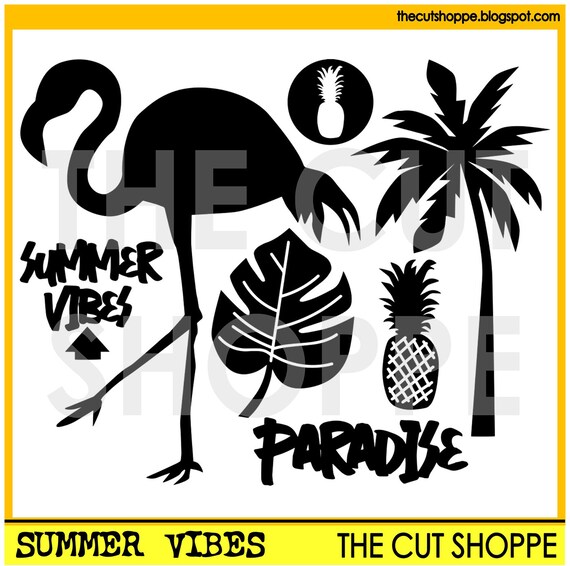
I started with this ADORABLE picture of my youngest son.  We were at the zoo and despite having a super fun time, he likes to give me all the sass he can muster for a photo.  I decided to play off the palm trees in the background of this photo and use the Summer Vibes cut file from The Cut Shoppe.


I started by duplicating the palm tree image so I had three on my page, and resized them to various sizes.  I also flipped one so they wouldn't all be leaning the same way.


Then I took some smooth watercolor paper, and lightly traced where my trees would be on the paper once I backed the cut file.  Then I used my watercolors to paint each tree a different color.  Since I planned on using mostly Amy Tangerine's Shine On collection, I kept my colors in the same palette of that.


Once my watercolor was dry, I adhered it to the back of my page.  Then I decided to add some texture to my layout by hand stitching around my palm trees in coordinating embroidery thread.


Then it was just a matter of embellishing the page!  Thanks so much for stopping by!


xo, Kira