Hello everyone! Enza here, and today I would like to share a few spreads in my December Daily album. I love using cut files to personalize the pages. Not only holiday-themed ones, but also sentiments and designs that go with the story of the day.
I really enjoyed using the Write This Down cut file. I like the arrow shape, and the sentiments are generic and can be easily adapted to any photo.
Creating dividers is also a lot of fun. Here, I cut four layers of the Make It Merry cut file and adhered them back-to-back, making sure to “sandwich” some patterned papers in between. It came out thick and sturdy. I love it! Just a technical note: since I wanted the textured side of the paper to show on both sides of the divider, I flipped one of the images horizontally in the Silhouette program before sending it to cut. That way the image was mirrored and worked perfectly for what I wanted.
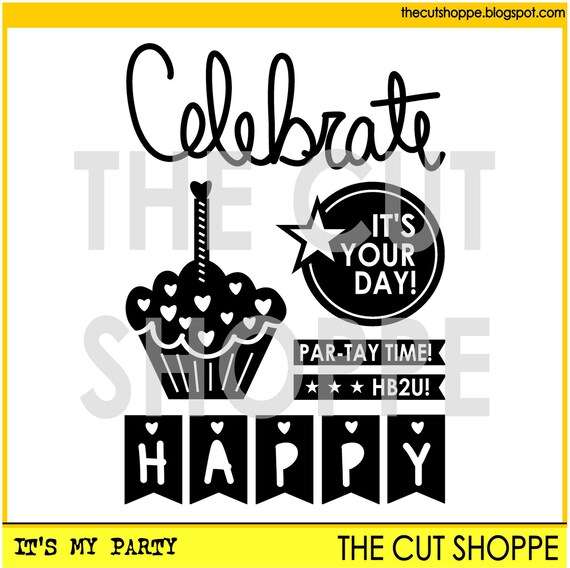
Sometimes you don't need a lot to accent a picture or a page. The sentiment “Celebrate” included in the It's My Party cut file set, with its beautiful and delicate font, gives the right amount of color and detail to this photo.
The next page features the Snow Day cut file. I cut the snowflakes out of white glitter card stock, after modifying their sizes to create some variety.
Finally, I wanted flowers from the Flower Delivery cut file to be the focus of this mini scrapbook layout for day 9. Again, I cut them in different sizes and arranged them on the page. I kept it simple, with just a few embellishments around photo and flowers.
Here are the full spreads:
That is all for today. Cut files are a great way to personalize your December Daily album. Visit The Cut Shoppe Etsy store and get inspired by the beautiful and fun designs.
Thank you for stopping by!
Showing posts with label It's My Party. Show all posts
Tuesday, December 19, 2017
Monday, January 4, 2016
Guest Designer Mandy Melville
Today we have three gorgeous layouts to share, from our first January Guest Designer, Mandy Melville! Mandy caught our eye, when she started tagging The Cut Shoppe, when she shared layouts using the cut files from the Shop...and we loved her work! So we are excited to have Mandy with us today, and to see what she created! Let's get to know a little bit more about Mandy.
I
live on the beautiful Central Coast of New South Wales in Australia.
I’ve been married to Andrew for 13 years and we have three children,
Abigail (11 years), Isaac (8 years), and Eleanor (1 year). I’ve been
scrapbooking for about 11 years, since my oldest was a baby, and it has
become more than just a hobby, it’s my passion! I love preserving my
family’s memories, and I equally love the creative outlet that
scrapbooking provides! My style varies as I like to let the mood of the
photos dictate the style of the layout and I like to try out different
techniques, though most often on my layouts you will see layering,
clustered embellishments, pretty patterned papers, and sometimes a
little bit of mixed media. I also love to use my Silhouette Cameo to
create titles, backgrounds and other elements for my layouts. I am very
lucky to be regularly published in Scrapbooking Memories magazine (an
Australian mag) and to be on some awesome design teams including D-lish
Scraps, Stuck?! Sketches, Scrap the Girls, and Off the Rails
Scrapbooking. I am so thrilled to have been invited to guest design for
The Cut Shoppe as I love creating with their cut files!! If you’d like
to take a look at my work, you can visit my blog at http://mandymelville.blogspot.com.au/
And now let's see what Mandy created!
You're the One for Me - So In Love & Plus Infinity
Rainy Days - A Walk in the Clouds & Moody Blues
Celebrate - It's My Party
Amazing work Mandy! We love seeing how you highlighted each of the cut files on your layouts! Thanks so much for sharing with us today, and if you would like to see more of Mandy's work, make sure you visit and follow her Blog, My Happy Place.
Wednesday, January 21, 2015
Let`s celebrate!
Hello everyone! Magda here with a new layout ! Hope you will like it! Please have a look which cut files I used this time:
And here is my layout - created especially for my older daughter to celebrate her 8th birthday!

Have a great day! Big hugs xxx
Friday, January 16, 2015
Hello, it's Cara today with a new layout for you :D
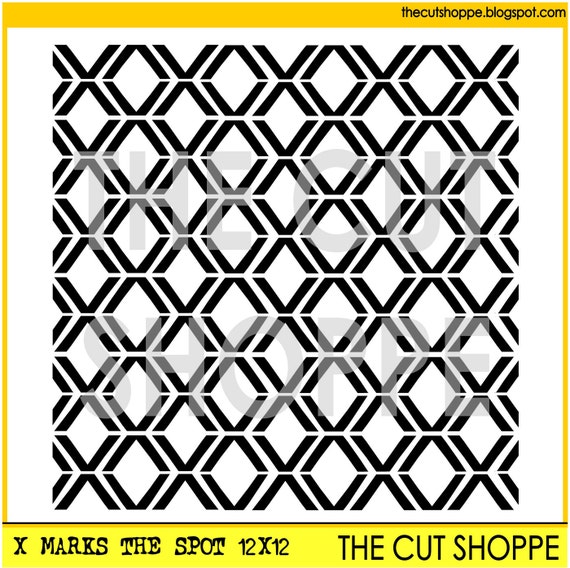
I used the It's My Party and X Marks the Spot sets to create this New Year's layout.
I was inspired by that lovely 'Celebrate' so I cut it as BIG as I could on sparkly red cardstock. :D I only cut the X marks the Spot background on the bottom 3rd of my background paper and layered strips of patterned paper underneath.
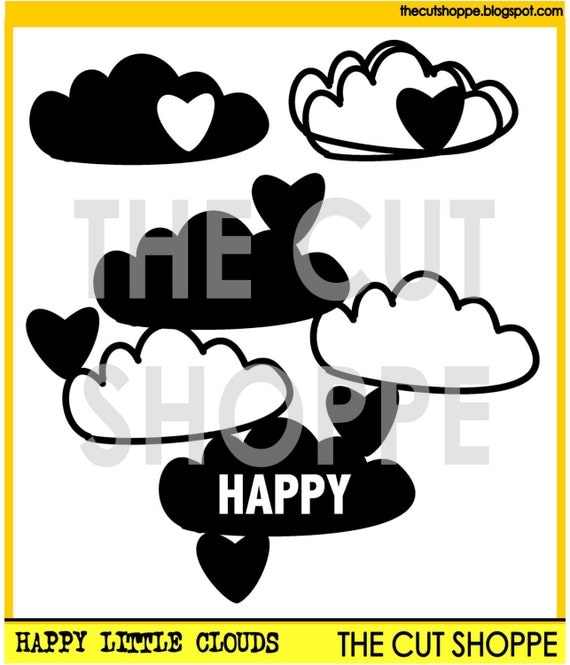
Then, I found a left over cutesy cloud on my desk from my last project and added it in. It's in the Happy Little Clouds set. Basically, it's only job on here to to be stinkin' cute!!
I used the It's My Party and X Marks the Spot sets to create this New Year's layout.
I was inspired by that lovely 'Celebrate' so I cut it as BIG as I could on sparkly red cardstock. :D I only cut the X marks the Spot background on the bottom 3rd of my background paper and layered strips of patterned paper underneath.
Have a fantastic day!
Thursday, January 15, 2015
Hi 7
Starting a new year, brings a whole new round of birthdays! And I'm sure that we all have tons of past birthday photos, sitting around waiting to be scrapped! So our new It's My Party cut file set, is perfect for your birthday layouts and projects! Our middle daughter's birthday is December 26th, and she turned 7 this year. I snapped some photos of her on her birthday day, and just had to use the It's My Party cut file on my layout today!
I wanted to use the "It's Your Day" cut file, so that inspired me to create a circle design on my layout. I opened the It's My Party cut file in Silhouette Studio and traced the shape. Then I placed it in the position I wanted it and then added 3 circles. I moved the It's Your Day cut file to the side and cut the circles from White cardstock. Next I backed the circles...one with my photo and two with patterned paper. Then I adhered the It's Your Day cut file. I also used the sketchy circle design from the Alphabet Soup background cut file. I thought they would add a fun look around the smaller circles. I finished my layout by adding embellishments, stitching, and a couple of other die cuts from the It's My Party cut file set.
And of course, the It's My Party cut file isn't the only new one you will find in the Shop today! Stop by and check out the other new designs that are now available!
Don't forget to play along and link up for our January Cut It Out Challenge! You could win a $10 Gift Certificate to The Cut Shoppe! Find all of the details HERE!
Supplies: It's My Party Cut File, Alphabet Soup Cut File & Tiny Type Cut File: The Cut Shoppe; Patterned Paper, Wood Veneers, Tags, & Stickers: Elle's Studio; Paper Clip & Enamel Dots: Freckled Fawn; Wood Drop Stickers: Pinkfresh Studio; Flair Button: A Flair for Buttons; Thickers: American Crafts; Cork Embellishments: Studio Calico; Die Cut Machine: Silhouette Cameo
I wanted to use the "It's Your Day" cut file, so that inspired me to create a circle design on my layout. I opened the It's My Party cut file in Silhouette Studio and traced the shape. Then I placed it in the position I wanted it and then added 3 circles. I moved the It's Your Day cut file to the side and cut the circles from White cardstock. Next I backed the circles...one with my photo and two with patterned paper. Then I adhered the It's Your Day cut file. I also used the sketchy circle design from the Alphabet Soup background cut file. I thought they would add a fun look around the smaller circles. I finished my layout by adding embellishments, stitching, and a couple of other die cuts from the It's My Party cut file set.
And of course, the It's My Party cut file isn't the only new one you will find in the Shop today! Stop by and check out the other new designs that are now available!
Don't forget to play along and link up for our January Cut It Out Challenge! You could win a $10 Gift Certificate to The Cut Shoppe! Find all of the details HERE!
Supplies: It's My Party Cut File, Alphabet Soup Cut File & Tiny Type Cut File: The Cut Shoppe; Patterned Paper, Wood Veneers, Tags, & Stickers: Elle's Studio; Paper Clip & Enamel Dots: Freckled Fawn; Wood Drop Stickers: Pinkfresh Studio; Flair Button: A Flair for Buttons; Thickers: American Crafts; Cork Embellishments: Studio Calico; Die Cut Machine: Silhouette Cameo
Subscribe to:
Posts (Atom)