Showing posts with label Bella Blvd.. Show all posts

Friday, January 12, 2018

Arcade Love | Kelly Janes

Hey there friends! Kelly back with you today to share a new boy themed layout using the Space Cadet Cut File.


I enlarged the cut file to 11.5" in Cricut Design Space and cut the image on a Bella Blvd patterned paper. I also cut the photo in a circular shape to go along with the circular theme of the cut file.


I added watered down yellow acrylic paint and applied it to the center of the layout to help the photo jump off the background. I also added paint splatters in coordinating colors. I then added multiple die cuts and stickers to go along with the video game theme of the layout. For final touches I added machine stitching in three areas on the layout to help your eye dance around the page. How fun is this cut file?! The possibilities are just endless!!


Now you can take a look at my process video to see how this layout came together!


Thank you so much for spending part of your day with me, and remember to head to The Cut Shoppe Etsy Store to check out all of the cut files!!

Wednesday, October 25, 2017

Boo | Kelly Janes

Hey friends! Kelly here with a new layout using the Fright Night Cut File!


I started in Cricut Design Space by slicing out the word Boo from the Fright Night Cut File. I then resized the image by unlocking the proportions and stretching the image to the same size as my 4x6" photo.


I added watercolor behind the cut file using the packaging technique and added hand stitching to help the cut file pop off the page! For final touches I added numerous Halloween themed embellishments around the layout.


Now you can take a look at my YouTube Process Video that includes a Cricut Design Space tutorial.


Halloween is my favorite holiday to scrapbook and I always love Ashley's Halloween Cut Files! Be sure to head to The Cut Shoppe Etsy Store to check out all of the fun designs!


Tuesday, April 18, 2017

Let's Go TN

Hi everyone!

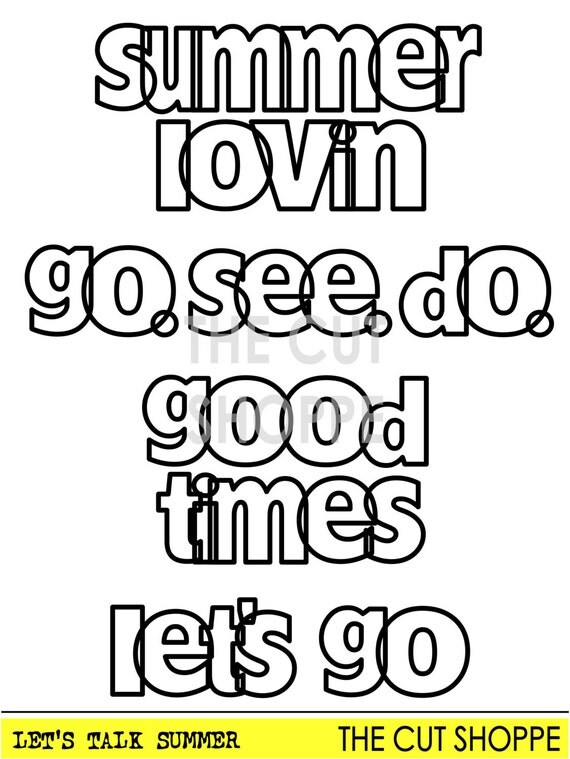
Mandy with you today, and I have a traveler's notebook spread to share that I created using the Let's Talk Summer cut file set from The Cut Shoppe Etsy store!


I'm using this notebook to document photos from our cruise that we went on last year. This photo of my daughter was taken just before we set sail from Sydney. The view of the Sydney Harbour Bridge was amazing!

I used patterned papers from the Bella Blvd Secrets of the Sea collection, combined with embellishments from Cocoa Vanilla Studio.

The Let's Talk Summer cut file set was perfect for this page...

The Let's Talk Summer Cut File, includes 4 welded phrases that can be used on your Summer and Travel layouts or paper projects.

I love the font and the phrases in this set, and I'll definitely be using it again as I document our vacation snaps!


I covered the left hand side of the spread with a Bella Blvd pattern paper, and then added my photo to this page. I fussy some flowers from one of the pattern papers in the Cocoa Vanilla 'Hello Sunshine' collection and adhered these using some foam tape onto the bottom right hand corner of the photo.


I added a die cut banner from the Hello Sunshine collection up in the top left hand corner of the page, and then popped some enamel dots next to the banner.


I used the 'let's go' phrase from the 'Let's Talk Summer' set as the title for my spread. I cut it from another Bella Blvd pattern paper. I love the open letters!


I added some more fussy cut flowers from the Hello Sunshine collection up in the top right hand corner of the page.


Lastly I added some more flowers at the bottom of the page, as well as a wood veneer piece from the Cocoa Vanilla 'Endless Summer' collection, and a few more enamel dots.

If you use traveler's notebooks, have you tried using cut files in your notebooks? I recommend giving it a try! Stop by the shop to check out all of the awesome cut files available!


Saturday, April 8, 2017

Everyday Memories

Hello Cut Shoppe friends!

I am so excited to share today's project using Pretty Little Studio's new Ain't Life Grand collection by Ashley Horton and the Notebook Doodles cut file from The Cut Shoppe.


This picture of me and my daughter is actually a screenshot of a Snapchat video that we made while out to eat one night. I love that it captured our goofiness and the fun we were having at that moment.


For this layout, I used the heart in the Notebook Doodles file and duplicated it six times. Next, I set each as its own compound path, overlapped the hearts in two rows of three, and then welded the shapes together. With the file cut, I backed each heart with a patterned paper from the Ain't Life Grand collection. Since my photo is black and white, I chose to keep a monochromatic color scheme using the blue, green, and black papers/embellishments.


The title was created using die cut words with a couple of sentiments attached underneath.


Next, I added more die cuts and cork embellishments to create visual line across the page. Finally, I used Bella Blvd. matte sprinkles for a bit of color and texture.


Thank you for visiting today and I hope you are inspired to create!


Friday, March 10, 2017

The Cut Shoppe & Bella Blvd. Blog Hop!


We are super excited to team up with Bella Blvd.!  There's inspiration from both teams and some great giveaways!  The Cut Shoppe also has a Discount Code, so you can pick up some of your favorite designs at 30% off!

Things are kicking off here, on The Cut Shoppe Blog!  Here's a peek at what the Bella Blvd. and The Cut Shoppe Designers will be sharing along the way.


You can start hopping along right from TCS Blog.  Here is the full Hop order for you to follow:


 And you can't have a Blog Hop without an awesome GIVEAWAY!

*The Cut Shoppe is giving away a $25.00 Gift Certificate to one lucky winner!  A random winner will be selected from comments left on the Blogs throughout the Hop, so make sure you comment on all of the Blogs participating in the Hop, for a better chance to win!  The Winner will be announced for the GC on The Cut Shoppe Blog on Wednesday, March 15th, so make sure you check back to see if you're the winner.

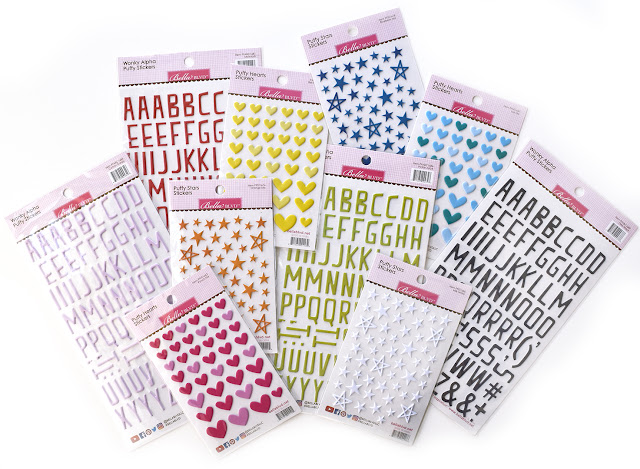
*Bella Blvd. is giving away a selection of Alpha Stickers and Puffy Stickers!  Make sure you visit the Bella Blvd. Blog for the details on the Giveaway! 

http://www.bellablvd.typepad.com/


And if you're looking to save on your favorite cut file designs, don't miss our 30% off Discount Code!

https://www.etsy.com/shop/TheCutShoppe

Now, you're off to the talented Missy Whidden's Blog!  Missy always blows us away with her amazing creations!

Have fun hopping!

Saturday, February 25, 2017

Make a Wish!

Hi crafty friends! Kelly here to share a new layout using The Party On Cut File.


In Cricut Design Space I resized the "Make A Wish" sentiment from The Party On Cut File to approximately 13.5". Now if you are familiar with DS, then you know the largest image you can cut on a 12x12 cutting mat is 11.5". But I wanted my sentiment to fill the entire background and 11.5" just wasn't large enough. I continued to the cutting mat with my large 13.5" sentiment and repositioned the cut file by rotating it on the cut screen. I made sure that the cut file was placed within the 12" on the cutting mat and then sent the image to the machine. This worked perfectly! I was able to use my 12" cutting mat but cut the image at 13.5".


I cut the sentiment on both white and black cardstock. I then used the white cardstock to create a shadow effect behind the black cardstock. Next I backed the cut file with a pattern paper from the Bella Blvd-Alex Collection and added hand stitching around all of the letters. I then added 2 photos to my layout from my son's birthday along with embellishments & ephemera from Crate Paper-Cool Kid Collection and the Bella Blvd-Alex Collection.


I love enlarging cut files on my layouts. It always helps the design come together quickly because it helps fill the page.


I recorded a process video that shows how this layout came together. It also includes a Cricut Design Space tutorial showing you exactly how I cut this image in DS.


Thanks for joining me today and remember to head to The Cut Shoppe Etsy Store to check out all of the cut files!


Sunday, September 25, 2016

Love This

Hello friends!  Candace here with you today to share a fun new layout I created with the newest cut & fold file, Cheeky Chevron.  I love cut & fold files!  So fun to let pops of color to peek out from behind a fun cut file!  You can check out this file in the shop here.  


Here is a look at the final layout.  To back the cut file I used the new collection from Bella Blvd, Alex.  With this fun new collection and the cool angles of the file it paired together to make a great boy layout!


I layered the Cheeky Chevron file on top of a fun patterned paper from the Alex collection.  I stitched down the file around the photo to add a little interest around the photo.  I left the other folds open to add dimension to the layout.  I love the look the the little flaps around the layout.


I embellished around the photo with ephemera and stickers and finished it off with a big bold title.  


I decided to add a few little ink splatters to the edges of the layout.  


Such a fun layout!  I just love it when layouts come together seamlessly!  It is easy when the products are so inspiring!  
Thanks for stopping by today! 

Thursday, July 28, 2016

Go See Do at the Zoo

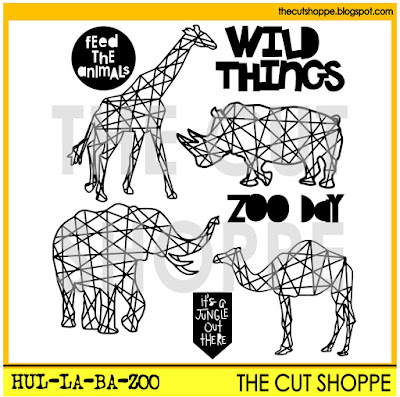
It's Thursday and we've got some great new cut file designs available this week in The Cut Shoppe Etsy store!  I decided to try out the Hul-La-Ba-Zoo cut file this week and use it to create a background look for my layout.


https://www.etsy.com/listing/468665995/the-hul-la-ba-zoo-cut-file-set-includes?ref=shop_home_active_3

I cut each animal from the set from White cardstock.  Then I cut a second solid shape to layer behind the cut file, from Bella Blvd. patterned papers.  I placed some of the animal shapes going off of the White cardstock background, to give it a patterned paper look.  


I used the rest of the White space on the layout for embellishments.  I added several stickers from the Bella Blvd. Zoo Crew collection along with a mix of Flair Buttons from A Flair for Buttons.  I also machine stitched each of the stickers to add some texture to the layout.


There are so many fun ways to use the Hul-La-Ba-Zoo cut file set, so make sure you stop by TCS Etsy store to pick it up!  And while you're there, check out the other new cut file sets that are now available.

https://www.etsy.com/shop/TheCutShoppe

http://www.ashleyhortondesigns.com/
 

Wednesday, January 27, 2016

Love

Hello! Jennifer here today to share another layout I created using some of the awesome new cut files from The Cut Shoppe!  Since we are getting close to Valentines Day, I couldn't wait to use some of the holiday themed cut files!  


I used this ombre print from Bella Blvd's Valentina collection with the 12x12 X To The O cut file. I adhered it to a white cardstock background followed by adding a darker print to the outside edges.  


Isn't this Kitschy Cursive Alphabet adorable? I thought it was perfect for the title of my page! I added coordinating stickers as well as sequins and wood veneer hearts to accent.  


 Showing more of the background file as well as more embellishments!  

 At the top of my photo, I added coordinating stickers as well as a gold clip from Studio Calico.  
Thank you for looking today! Be sure to stop by The Cut Shoppe for these and many more fun cut files! Have a wonderful day!