Hey there friends! Kelly here today sharing a new layout using the Better Days Cut File.
If you're the mom of a 10 year old boy then you'll more than likely have a good understanding of the theme of my layout! HA! I wanted a way to document how much my son loves his electronics and the Better Days Cut File was the perfect way to show that he uses those electronics all day - everyday!
I cut all the days of the week in black cardstock and then used acrylic paints to paint stripes across the white cartstock background in rainbow order.
I positioned the cut files over the painted stripes and tucked photos beside the words. I used boy themed embellishments to enhance the video game theme. This layout really didn't need much journaling because the cut file does a great job conveying my point! HA!
Thanks so much for spending part of your day with me, and remember to head to The Cut Shoppe Etsy Store to check out all of the cut files!
Showing posts with label Acrylic Paint. Show all posts
Tuesday, September 11, 2018
Friday, June 15, 2018
YAY Showtime
Hey there friends! Kelly back again today to share a new 12x12 layout using The Big Screen Cut File.
I started in Cricut Design Space by slicing out the filmstrip portion of the cut file. I then unlocked the dimensions of the cut file and resized the filmstrip so my small 2x2" photos would fit behind the openings. I duplicated the filmstrips once I had them sized correctly and then cut both of the filmstrips on black cardstock.
My photos are very grainy so I converted them to black & white and printed them small to try to mask some of the poor quality. This layout is more about the story than the photos so I didn't mind that the photos weren't perfect. I positioned my photos behind three of the openings in the filmstrip and used the other remaining spots for my journaling.
Sometimes the stories that need to be told don't always have the perfect photos to go along with it. I love that the filmstrip from The Big Screen Cut File was a great way to not only get multiple photos on my layout, but it also helped mask some of the imperfections of the less than perfect quality of the photos!
Now you can take a look at my process video that includes a Cricut tutorial.
Thanks so much for spending part of your day with me and remember to head to The Cut Shoppe Etsy Store to check out all of the cut files!
I started in Cricut Design Space by slicing out the filmstrip portion of the cut file. I then unlocked the dimensions of the cut file and resized the filmstrip so my small 2x2" photos would fit behind the openings. I duplicated the filmstrips once I had them sized correctly and then cut both of the filmstrips on black cardstock.
My photos are very grainy so I converted them to black & white and printed them small to try to mask some of the poor quality. This layout is more about the story than the photos so I didn't mind that the photos weren't perfect. I positioned my photos behind three of the openings in the filmstrip and used the other remaining spots for my journaling.
Sometimes the stories that need to be told don't always have the perfect photos to go along with it. I love that the filmstrip from The Big Screen Cut File was a great way to not only get multiple photos on my layout, but it also helped mask some of the imperfections of the less than perfect quality of the photos!
Now you can take a look at my process video that includes a Cricut tutorial.
Thanks so much for spending part of your day with me and remember to head to The Cut Shoppe Etsy Store to check out all of the cut files!
Friday, January 12, 2018
Arcade Love | Kelly Janes
Hey there friends! Kelly back with you today to share a new boy themed layout using the Space Cadet Cut File.
I enlarged the cut file to 11.5" in Cricut Design Space and cut the image on a Bella Blvd patterned paper. I also cut the photo in a circular shape to go along with the circular theme of the cut file.
I added watered down yellow acrylic paint and applied it to the center of the layout to help the photo jump off the background. I also added paint splatters in coordinating colors. I then added multiple die cuts and stickers to go along with the video game theme of the layout. For final touches I added machine stitching in three areas on the layout to help your eye dance around the page. How fun is this cut file?! The possibilities are just endless!!
Now you can take a look at my process video to see how this layout came together!
Thank you so much for spending part of your day with me, and remember to head to The Cut Shoppe Etsy Store to check out all of the cut files!!
I added watered down yellow acrylic paint and applied it to the center of the layout to help the photo jump off the background. I also added paint splatters in coordinating colors. I then added multiple die cuts and stickers to go along with the video game theme of the layout. For final touches I added machine stitching in three areas on the layout to help your eye dance around the page. How fun is this cut file?! The possibilities are just endless!!
Now you can take a look at my process video to see how this layout came together!
Thank you so much for spending part of your day with me, and remember to head to The Cut Shoppe Etsy Store to check out all of the cut files!!
Saturday, June 17, 2017
DIY Stencil Using Background Cut Files
Hello everyone! It's Zinia here and I'm back to share with you another art journal spread using some gorgeous cut files from the Cut Shoppe store.
I've been sharing a few artsy projects with you lately but for some reason I didn't really use my most favorite technique in them. What I mostly love about cut files in art journaling is creating my own stencils.
I use some laminating sheets, stick them together and feed them in my Silhouette to cut all sorts of fun stencils from the beautiful background cut files.
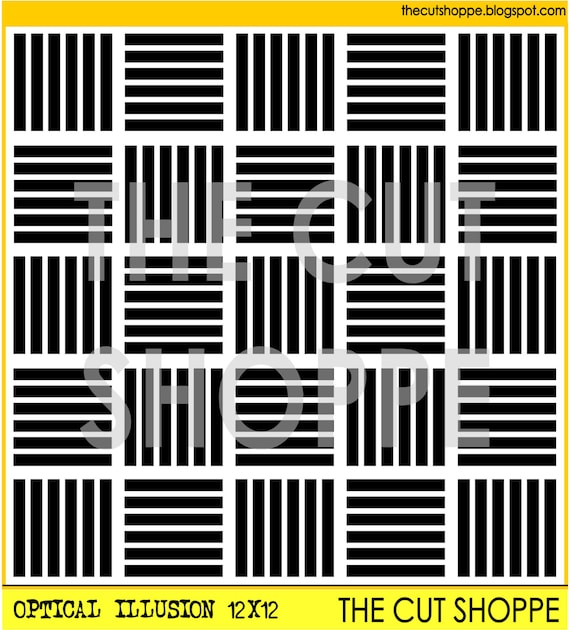
I really love playing with bright colors and layering acrylic paint. The optical illusion cut file is the perfect design to add a beautiful texture for a bit of extra interest in between the different layers.
You can use this technique in any project. It will work beautifully with cards or scrapbook layouts but I personally love using it in my art journal the most.
Labels:
Acrylic Paint,
art journal,
art journaling,
dina wakley,
dylusions,
Mixed Media,
Optical Illusion,
paint,
painting,
scribble sticks
Friday, April 7, 2017
Happy Adventure
Hello again, it's Melissa here and I'm back with you from Autumn here in the Southern Hemisphere! I must say I've been looking at lots of Spring photos on social media and wishing it was Spring here!!
Today I have a layout to share of my oldest two kids that was taken for the school calendar last year. Its such a lovely photo of the two of them, and trust me its very hard to get a smiling and happy photo without someone pulling a face!! Of course in the making of this layout I had to restrain myself from using hearts and words such as "love" haha!!
I used "The Half of It" Background cut file, and I turned it upside down. Remember to always make the cut files work for you, for your layout. I also used my February Hip Kit.
Today I have a layout to share of my oldest two kids that was taken for the school calendar last year. Its such a lovely photo of the two of them, and trust me its very hard to get a smiling and happy photo without someone pulling a face!! Of course in the making of this layout I had to restrain myself from using hearts and words such as "love" haha!!
I used "The Half of It" Background cut file, and I turned it upside down. Remember to always make the cut files work for you, for your layout. I also used my February Hip Kit.
I prepared my background with my watercolours and the packaging technique. I applied gold acrylic paint with a baby wipe. I layered the cut file over the top so the paint would peek through.
I embellished with die cuts, a fringe butterfly and a fussy cut butterfly.
I made my title with a sticker and a chipboard word.
And here is the cut file which you can purchase here.
Thanks for looking!
Thursday, March 23, 2017
Filter-Fun
Hello! It's Melissa here, and today I have a layout featuring my favourite SnapChat filter, the adorable bunny! I loved it so much I had to try it on all of my kids, even our sleeping baby! I used the Bless Your Heart cut file set, and loved them so much I had to use all 4 on the one layout. I used my January Hip Kit, featuring Maggie Holmes "Chasing Dreams". The paper strips at the top and bottom of the page are Dear Lizzy.
I started with white cardstock and pink and gold acrylic paint. I wanted to keep the cut file hearts white, so I painted behind each one in pink gold. When I adhered my photos and hearts I used minimal adhesive behind the photos so that the hearts looked like they were floating.
I kept all my embellishment around each photo to one area, which enabled each cut file to shine.
This layout has minimal patterned paper, and I love how it turned out.
Here is the cut file set.
Thanks so much for looking!
Thursday, August 13, 2015
Under the Bridge
It's all about arrows and rainbow colors on my layout today! I used the new Get to the Point cut file set, with acrylic paint and the Finders Keepers collection from Amy Tangerine. I thought it would be fun to use one of the patterned papers from the Finders Keepers collection and match it with the acrylic paints, painted behind the cut file. Here's how it turned out!
I layered the graph patterned paper over the painted cardstock, so the paint colors would show through the arrows. Once my photo and title were in place, I added several embellishments to the coordinating rainbow colors.
I created a new Process Video to go along with today's layout, if you would like to see how I put everything together!
And make sure you visit The Cut Shoppe today and check out the new Get to the Point cut file, available in 8.5x11 and 12x12 size, as well as these awesome other sets that are now availalbe!
Supplies: Get to the Point cut file: The Cut Shoppe; Patterned Paper, Rubber Embellishments, Thickers, Mylar Flair, Puffy Stickers, Die Cut Cardstock Shapes & Date Stamp: American Crafts; Color Shine: Heidi Swapp; Acrylic Paint: Reeves; Enamel Dots: Freckled Fawn; Tiny Attacher: Tim Holtz; Die Cut Machine: Silhouette Cameo
I layered the graph patterned paper over the painted cardstock, so the paint colors would show through the arrows. Once my photo and title were in place, I added several embellishments to the coordinating rainbow colors.
I created a new Process Video to go along with today's layout, if you would like to see how I put everything together!
And make sure you visit The Cut Shoppe today and check out the new Get to the Point cut file, available in 8.5x11 and 12x12 size, as well as these awesome other sets that are now availalbe!
Supplies: Get to the Point cut file: The Cut Shoppe; Patterned Paper, Rubber Embellishments, Thickers, Mylar Flair, Puffy Stickers, Die Cut Cardstock Shapes & Date Stamp: American Crafts; Color Shine: Heidi Swapp; Acrylic Paint: Reeves; Enamel Dots: Freckled Fawn; Tiny Attacher: Tim Holtz; Die Cut Machine: Silhouette Cameo
Thursday, June 25, 2015
#Throwback Thursday | I Am Supa Fly
I love doing TBT, here on The Cut Shoppe Blog! It gives me a chance to play with some of the cut files, that I may not have used yet, or ones that I haven't used in a while. Today, I went way back to one of the first backgrounds that was added to the Shop when it first opened. I wanted to use some acrylic paint with the I See Chevrons background, to create my own Ombre designed background!
I cut the I See Chevrons 12x12 cut file, from scrap cardstock and used it as a stencil for adding the acrylic paint. I also used the Hero Up cut file set for part of my title and the Pow burst, added next to the photo.
If you would like to check out the way I used the I See Chevrons cut file for a stencil and added the acrylic paint in an Ombre look, make sure you check out my new Process Video!
Supplies: I See Chevrons cut file & Hero Up cut file: The Cut Shoppe; Patterned Paper, Stickers, Bradz, Wood Veneers, Chipboard, Bits & Enamel Dots: Simple Stories; Acrylic Paint: Reeves; Color Shine: Heidi Swapp; Die Cut Machine: Silhouette Cameo
I cut the I See Chevrons 12x12 cut file, from scrap cardstock and used it as a stencil for adding the acrylic paint. I also used the Hero Up cut file set for part of my title and the Pow burst, added next to the photo.
If you would like to check out the way I used the I See Chevrons cut file for a stencil and added the acrylic paint in an Ombre look, make sure you check out my new Process Video!
Supplies: I See Chevrons cut file & Hero Up cut file: The Cut Shoppe; Patterned Paper, Stickers, Bradz, Wood Veneers, Chipboard, Bits & Enamel Dots: Simple Stories; Acrylic Paint: Reeves; Color Shine: Heidi Swapp; Die Cut Machine: Silhouette Cameo
Thursday, March 12, 2015
With You
Hi again!! It's Ashley, and you know what Thursday's mean, here, around The Cut Shoppe...that's right, new cut file sets in the Shop! We've got you covered this week with a Lucky themed set, since St. Patrick's Day is coming up, a new Tag set and a funky background cut file! For my layout this week, I chose to work with the rainbow from the Lucky Charm cut file set and add some color with acrylic paint!
I traced the rainbow and cut seven of them from White cardstock. Then I used acrylic paints to paint each of the cut files, a rainbow color. Before adding the rainbows to the background paper, I splattered coordinating watercolors where each of the cut files would be placed. This was such a fun technique, and could be used with a lot of different cut files from The Cut Shoppe!
You can find out more about my process for putting this layout together, by checking out my new Process Video!
And when you stop by to visit the Shop, you'll find all three of these new sets!
Supplies: Lucky Charm Cut File: The Cut Shoppe; Acrylic Paint & Watercolor Paint: Reeves; Patterned Paper & Thickers: American Crafts; Flair Buttons: A Flair for Buttons; Paper Clip & Enamel Dots: Freckled Fawn; Wood Drop Stickers: Pinkfresh Studio; Stickers, Bits & Enamel Dots: Simple Stories; Color Shine: Heidi Swapp; Die Cut Machine: Silhouette Cameo
I traced the rainbow and cut seven of them from White cardstock. Then I used acrylic paints to paint each of the cut files, a rainbow color. Before adding the rainbows to the background paper, I splattered coordinating watercolors where each of the cut files would be placed. This was such a fun technique, and could be used with a lot of different cut files from The Cut Shoppe!
You can find out more about my process for putting this layout together, by checking out my new Process Video!
And when you stop by to visit the Shop, you'll find all three of these new sets!
Supplies: Lucky Charm Cut File: The Cut Shoppe; Acrylic Paint & Watercolor Paint: Reeves; Patterned Paper & Thickers: American Crafts; Flair Buttons: A Flair for Buttons; Paper Clip & Enamel Dots: Freckled Fawn; Wood Drop Stickers: Pinkfresh Studio; Stickers, Bits & Enamel Dots: Simple Stories; Color Shine: Heidi Swapp; Die Cut Machine: Silhouette Cameo
Subscribe to:
Posts (Atom)