Hey everyone, it's Elsie here! Did you know that The Cut Shoppe offers a free cut file every month, right here on the blog? I love a big, bold title and so this months cut file is one I just had to make a layout with! You can click this link to find the free 'Cool In The Pool' cut file.
For my layout, I oversized the cut file to make it stretch across the entire page, and I rotated it slightly which I find created a more balanced design, and I cut it from white cardstock.
I then backed each letter with a different patterned paper, to create a really colourful design. Also because these letters are so big they're the ideal spot to back with a photo.
To make the cut file stand out even more, I used a brick patterned paper as my background. I love how much of a statement this makes!
And finally I went a little crazy with a lot of pool/summer themed embellishments, because big title designs are ideal for stash-busting because you can create a lot of embellishment clusters.
I had so much fun making this page, so I hope you also are inspired to create a layout using this cut file!
Showing posts with label Oasis. Show all posts
Thursday, July 19, 2018
Tuesday, June 19, 2018
Globe Getter Layout | Elsie Robinson
Hey friends, it's Elsie here! I have a 12x12 layout to share with you today, using one of the new cut files available in the TCS store: The Globe Getter.
Before sending the cut file to my die-cutting machine, I edited the file a little. I used the knife tool to separate the 'O' globe from the rest of the letters and made it about twice as large. I wanted the cut file to not only take up the width of the page but also the height, which helped fill out the page to create a more balanced design on this 12x12 layout size.
I love using 'wordy' cut files on my layouts because it means that I can back each letter with a different patterned paper. It's fun to use loads of different patterns to create a really neat but colourful design. I used papers from various Crate Paper collections to back the letters and the globe.
And of course I ended up hand-stitching around the white borders to give some more texture and dimension.
I clustered most of the embellishments around the letters, to create a cute and whimsical look. I also cut a "swoosh" curved line (not sure what else to call it!) and glued an aeroplane sticker to the end which made it look like the aeroplane is flying around the world!
And finally I used a geotag chipboard sticker to mark where my photo was taken - I love how the globe is not just a decorative element but it's also practical!!
Before sending the cut file to my die-cutting machine, I edited the file a little. I used the knife tool to separate the 'O' globe from the rest of the letters and made it about twice as large. I wanted the cut file to not only take up the width of the page but also the height, which helped fill out the page to create a more balanced design on this 12x12 layout size.
I love using 'wordy' cut files on my layouts because it means that I can back each letter with a different patterned paper. It's fun to use loads of different patterns to create a really neat but colourful design. I used papers from various Crate Paper collections to back the letters and the globe.
And of course I ended up hand-stitching around the white borders to give some more texture and dimension.
I clustered most of the embellishments around the letters, to create a cute and whimsical look. I also cut a "swoosh" curved line (not sure what else to call it!) and glued an aeroplane sticker to the end which made it look like the aeroplane is flying around the world!
And finally I used a geotag chipboard sticker to mark where my photo was taken - I love how the globe is not just a decorative element but it's also practical!!
Friday, June 23, 2017
Away We Go!
Hi friends! It's Monique here with you today and I'm about to share the last layout I created as a member of The Cut Shoppe Design Team. Sadly the design team will be finishing at the end of this month. I can't believe how fast this year went! I've had the time of my life and am so grateful to Ashley for having me on her team and letting me play with all of her fun cut files!
For today's layout I thought it would be a good idea to use my favorite cut file once more: the "All Heart" cut file!
Here's what I created with it, also using Crate Paper's Oasis collection:
and here's the "All Heart" cut file I used:
I so love this cut file! and although I've used the cut file a few times before the layouts always turn out totally different! Here are a couple of close-ups ... as you can see I've adhered the title in the large hearts and filled all the empty hearts (large and small) with enamel hearts.
Isn't the puffy flamingo the best?!!
And if you're curious about the other layouts I created with this cut file, here are two of them: one I created for Doodlebug:
and one I created for Pretty Little Studio:
It's only now that I notice all the pinks in my pages! Must be because of all the hearts, lol.
Now, if you're looking for this cut file or any other cut file with hearts just check The Cut Shoppe Etsy Store! There are so many fun designs and products available at the store.
Thank you so much for stopping by today! I am sure I will see you all around (just follow me on Instagram or my blog).
Hugs,
Monique
Monday, June 12, 2017
Fun Trip
Hey there scrappy friends,
Zsoka here with you today with my last before one layout for The Cut Shoppe! However, this is my last blog post here, my last layout will only be posted on my own blog in two weeks. I hope you'll check it out, it will be a special one ;P.
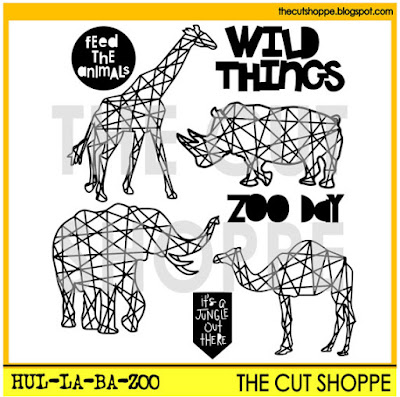
As I was browsing through my cut files, I realized I still haven't used the Hul-La-Ba-Zoo cut file even though I've been wanting to for ages.
While on Spring Break in April, we went on a Safari in Italy and we took many photos of all the different animals. For whatever reason I didn't take more than 2 photos of my favourite giraffes! Either way, I decided to use the giraffe cut file to go with my giraffe pictures and document this memory.
I chose the wonderful Crate Paper Oasis collection which reminded me of Safaris, trips and getaways. Then I cut two giraffes in two different sizes (one image I mirrored so they are facing each other) then backed them with two patterned papers from the collection.
For my background I picked a wood grain paper and I used a very limited color palette, which I find matches the Safari theme. I used embellishments from the Oasis collection: die cuts, chipboard stickers, a chipboard frame and stickers as well as some wood veneers and plain chipboards from other manufacturers.
I created two clusters with tropical leaves, most of these came from the ephemera pack, some I fussy cut from a patterned paper. I also added some chipboard leaves for additional dimension.
For my title I used the gold phrase stickers from the Oasis collection. I just love the font!
I hope you like how this layout turned out! I will be honest, I promised myself earlier to never use another animal cut file on a layout (long story!) but with these pictures this file was kind of the obvious choice right?! :)
Thank you for stopping by today and also for all the support in the past! I'm also thanking Ashley from the bottom of my heart for this wonderful year that went by way too quickly! I am grateful for having been a part of the last TCS DT. I sure will miss it!
Have a great day and see you around X
Subscribe to:
Posts (Atom)