Showing posts with label Maggie Holmes. Show all posts

Thursday, February 20, 2020

Espresso Yourself | Vânia Fonseca

Hello crafty friends! 
Vânia here and today i´m sharing a 12x12 page that i made using the Espresso Yourself cut file from The Cut Shoppe.


I love coffe, and i couldn´t start my day without my expresso. So i made this layout to document my love for this small cup of coffee. 


I´m using a couple of different Maggie Holmes collections some bits and pieces from Heritage and some from Willow Lane.


I´ve start by cutting the file using white cardstock, then chose different patterned papers to back the cut file. I put my photo inside the letter O and create a little embellishment cluster around it. 


Also grab a couple of different stamp sets from my stash, coffe themed, and stamped a couple of phrases and fake coffee splatters in some of the letters.


To Finish the page i add a couple of stickers and some ink splatters to my page.
Thank you so much for passing by, see you soon!

Wednesday, October 23, 2019

Love Language | Vânia Fonseca

Hello crafty friends! Vânia here with a new 12x12 layout using the Love Language cut file from The Cut Shoppe.


Really love all the speech bubbles in this cut file. And it was perfect to document a photo of me and my mum.
I chose to work on a patterned paper as background so i cut out the cut file using white card stock.


I used the Heritage collection from Maggie Holmes, and backed the speech bubbles with a couple of different patterned papers, a little bit inspired by patchwork.
On the top i add different kinds of stickers, die cuts, so i could have a lot textures.


Also leave some of speech bubbles empty, so i could stamp directly on my background and add one more layer to my page.

I used foam between the cut file and the background to give dimension. This way the heart really stands out from the background.


To finish my page i add some withe ink splatters.

Thank you so much for watching!

Tuesday, October 22, 2019

Family | Marsha Farris

Hey friends!  Marsha here today sharing a layout in my traveler's notebook album.  I used the awesome Half Hearted cut file from The Cut Shoppe. 


For my layout, I used the Crate Paper Heritage collection by Maggie Holmes- such a lovely collection and perfect for my family photo.

To begin the layout, I sized the cut file to fit in my traveler's notebook (approximately 4.25"x8.25").  I knew I wanted to bring the cut file over to the other page, so I added an additional column of the hearts.  I cut out the cut file using a woodgrain patterned paper from the collection- I always love a good woodgrain! 

Next, I adhered the cut file to a white cardstock base, sized to fit in my album.  I added my photo and embellished around it using clear stickers, puffy stickers, and ephemera.


For the other side of the spread, I added the cut file to the edge of the page, also adding two strips of patterned paper from the collection.  I added a tag and a white acrylic piece to serve as my title.  I did some simple embellishing using some ephemera pieces and stickers.

I love how this layout turned out using this fun cut file!


Thanks for stopping by today!  Make sure you check out this cut file in The Cut Shoppe Store!


Monday, July 22, 2019

Summer Fun + Sun | Marsha Farris

Hey friends!  Marsha here today sharing a fun summer layout in my traveler's notebook.  I used the Vacay Mode cut file from The Cut Shoppe.


For my spread today, I used mainly the Crate Paper Sunny Days collection by Maggie Holmes.  To begin the layout, I enlarged the sunglasses portion of the cut file to span across my traveler's notebook spread.  The best part about this cut file is that it includes so many fun images, and there are so many layout design possibilities!  I cut out the file using white cardstock and backed it with a floral paper.  I also created an offset of the cut file in Silhouette Studio using navy patterned paper, so the sunglasses would stand out from the white background.  To complete the title, I added some chipboard phrase stickers.


I chose to document a photo taken on a recent family vacation to the lake.  I thought it worked perfectly with this fun cut file.  I layered some papers behind the photo and added puffy stickers and cardstock stickers to frame the photo.  Next, I stamped the date using my favorite Heidi Swapp date stamp and trimmed it out using a tab punch.


At the top of the other page, I added a tag and layered some puffy stickers and a fussy cut element from one of the patterned papers.  I just love the little beach bag!


Thanks for stopping by today!  I hope I have inspired you to use a cut file on your next project.  See you soon!


Sunday, January 27, 2019

You Hold My Heart | Marsha Farris

Hey friends!  Marsha here again today sharing a layout in my ringed traveler's notebook album.  I used the new Hold My Heart cut file that is available at The Cut Shoppe.


I love this photo of my sons taken last year on our farm, and thought it would work perfectly with the cut file.

For this layout, I used mainly the Maggie Holmes Willow Lane collection.  I cut out the Hold My Heart cut file using white cardstock and backed the file with a navy patterned paper.  I chose a wood grain scallop paper from this collection to use as the background for the page.  I fussy cut some hearts from another paper and used my sewing machine to stitch them to the page, folding them down the center for added dimension.


For the other page, I adhered my photo and added several strips of paper from the same collection.  I did some additional machine stitching and added some stamping.  To embellish the page, I added a few puffy stickers, staples and wood veneer pieces.


Thank you for stopping by today!  I hope you will visit The Cut Shoppe and check out all the awesome cut files that are currently available!


Wednesday, September 26, 2018

Sweet Girls | Kelly Janes

Hey there, friends! Kelly here today to share a new 12x12 layout using the Flutterby Cut File.


I started in Cricut Design Space by slicing one of the butterflies from the wreath. I duplicated the butterfly and then used the contour feature to make the butterfly a solid shape. I then duplicated both the intricate butterfly & the solid butterfly so I had 3 of each. I cut the intricate butterflies on patterned paper and the solid butterflies on vellum.


I layered the patterned paper butterflies over the vellum & added stitching down the center. I love how the wings just naturally lift...it adds so much dimension! I added a few more fussy cut butterflies, flowers & buttons to finish off the layout!


Remember to visit The Cut Shoppe Etsy Store to check out all of the cut files & digital collections!


Monday, September 17, 2018

you are my sunshine | orange gearle

Hi! Orange Gearle here with a layout using the Heart Breaker cut file from The Cut Shoppe. Here is my layout:


This is a great cut file -- and it happens to be free (and available here)! 


So my goal with this layout was to create something that was feminine and pretty -- contrasting the photo of my daughter as BATMAN. I think it worked!


Because the cut file is so pretty and pretty big, I didn't really need to add too many things as far as embellishments. I stuck with mostly hearts and butterflies -- but I threw in a few fussy cut flowers for good measure.


My background paper and the fussy cut flowers are from Amy Tangerine. The ephemera and chipboard are from Maggie Holmes. 


I made a video of my process, if that suits your fancy!


Thanks so much for checking it out! See you again soon! XO o.g.


Sunday, August 26, 2018

"Capture" Layout | Donna Espiritu


Hello, lovelies!

Donna here with a scrapbook layout using a couple of cut files from the shop. 


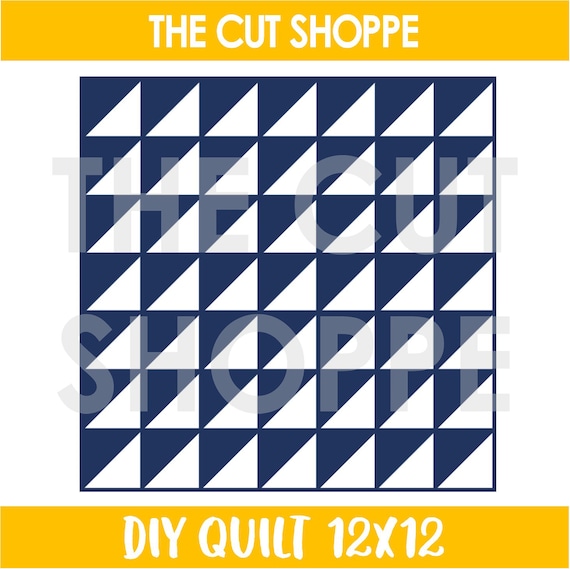
I backed the DIY Quilt cut file with a lot of pattern papers from the Gather collection by Maggie Holmes


I actually used the Gather digital elements since I don't have the ephemera pack anymore.
I mounted the printouts with foam tape for a bit of dimension.

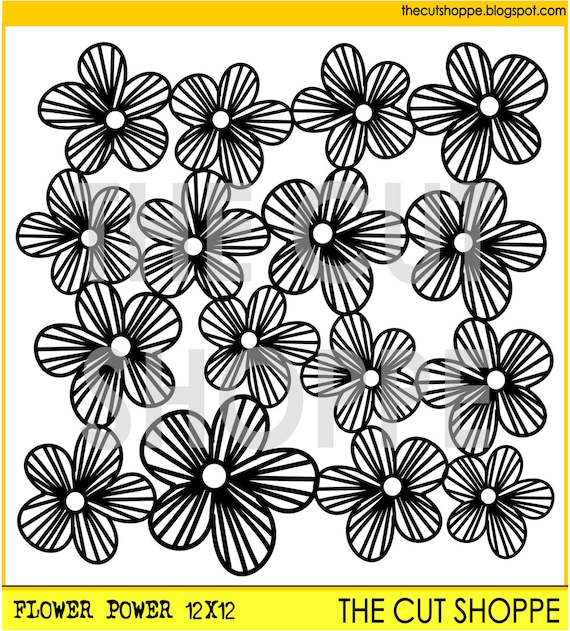
For the Flower Power cut file, I cut it apart and created a layer around the photo to add give the layout more texture and dimension.


I scattered gold sequins for the final touch. 


I really love how this turned out!
How about you, do you like to use two different cut files in your layout/project?
I hope you give it a try!

Thanks for dropping by and happy crafting,