Showing posts with label Heidi Swapp. Show all posts

Friday, September 27, 2019

Falling Leaves | Erica Thompson

Fall is here and I am so excited for my favorite time of the year! I was so excited to see all the new fall cut files from The Cut Shoppe and the Autumn Leaves file is my favorite!
I pulled out the new Paige Evans Truly Grateful collection that I picked up from A Cherry on Top and began to back the cut file with 6x8 papers. The cut file was cut on some white textured cardstock. This did take some time to back but totally worth it! Once it was fully backed I added foam adhesive to the back and adhered to a white piece of cardstock that I had splattered with gold color shine.
The photo is of our sweet girl Lola Bean! I just love her sweet face and she has her chunky scarf on! You can see the pretty fall leaves on the ground and they match her beautiful color! I added stickers on each side of my photo and an epoxy flair from Scrappin Happy Studio that matches the collection perfectly!

We just love this sweet soul so very much! The sweetest most lovable pup we have ever known. Her favorite things are cuddling, sleeping and more sleeping! Everyone loves her and she love everyone...except frogs and plastic bags! She really is afraid of those two things! haha! Here is a look at my completed layout using the Autumn Leaves cut file! I hope you pick this one up along with some of the other fall files in the shop!
Thank you so much for stopping by today! 


Sunday, June 23, 2019

i love you this much | orange gearle

Hi! Orange Gearle here with a layout in my traveler's notebook.    I am using the This Much cut file -- here's a look at the layout!


And here is a closer look at the cut file!


This spread was all about how much I love the ocean -- the sounds, the smells, and how it allows me to exhale deeply and relax!  


I used a mix of papers from Pinkfresh Studio, Heidi Swapp, and One Canoe Two. I love all the pinks and yellows!


I made a video of my process, if that's something that suits your fancy!


Thank you so much for stopping by! XO o.g.


Saturday, June 22, 2019

Delightful Day Together | Marsha Farris

Hey friends!  It's Marsha, and I'm here with you today sharing a layout in my traveler's notebook.  I used the Delightful cut file from The Cut Shoppe, and I think it is just delightful used as a large title on my page!


For my layout, I used the Heidi Swapp Color Fresh collection, along with a few items from my stash.  To begin the spread, I sized the cut file to about 8" high, so it would fit in the TN.  I cut it out using a striped patterned paper from the collection.  I love how it looks layered over the dot grid paper!  Next, I trimmed the cut file to fit in the traveler's notebook, so a portion was on each side of the page.

I added my photo and embellished around it with ephemera pieces, acetate, and stickers.  I also added some stamping.


Next, I trimmed an acetate piece to fit inside of the letter "D"  and layered another acetate piece and a puffy foam sticker over it.


To complete the title, I used a puffy phrase sticker and another sticker from my stash.  I added the journaling, stamped the date, and added a few more acetate pieces to finish off the layout.


Thank you so much for stopping by today! 


Saturday, March 23, 2019

Wonderful Day | Erica Thompson

Hello! Erica here with you today sharing a layout using the Swirly & Twirly layout from The Cut Shoppe! You can find the cut file by clicking HERE!
I cut the file out of some white American Crafts cardstock and backed it with some papers from Rosie's Studio Arabesue Collection!

I added a lot of splatters to my background using some Tim Holtz Distress Ink and some Black Heidi Swapp Color Shine.
I embellished with die cuts and puffy stickers from Rosie's Studio along with an epoxy flair from Scrappin Happy Studio.
I love this photo that was taken on my younger brothers wedding day. I am the only girl with one older brother and two younger. I was very pregnant in this photo but we had a great time..swollen ankles and all!

Here is a look at my completed layout and my process video!  You can also check it out on YouTube HERE!


Sunday, April 23, 2017

Happy Memories

Hey friends! Kelly here to share a new layout with you using the Washi Love Cut File and the Follow Your Heart Cut File.


I started in Cricut Design Space by slicing apart the Washi Love Cut File and then copied/pasted the washi designs to create a pattern. I then resized each washi strip to 11.5" in length. Next, I added the Follow Your Heart Cut File and sized it appropriately over the washi strips. My intention is to use the Follow Your Heart Cut File as a template for hand stitching. I wanted the number of hand stitched hearts to match the number of washi strips so I copied/pasted the heart image and sized it slightly smaller than the first.


After the washi strips were cut on a patterned paper from the Shimelle Little By Little Collection, I lightly adhered them to the white cardstock background. I then took the largest heart from the Follow Your Heart Cut File, held it in place with my hand, and used my piercing tool to poke holes for the hand stitching. I repeated this same step with the smaller heart from the same cut file.


I matched the embroidery floss as closely as I could to the colors in the patterned paper washi strips. I positioned the photo on the bottom right and added a few more ephemera pieces from the Shimelle Little By Little Collection as layering pieces. I then added my title using a combination of words from Heidi Swapp and the Pink Paislee C'est La Vie Collection.

Here's a look at how the layout came together!!


Thank you so much for spending part of your day with me and don't forget to head over to The Cut Shoppe Etsy Store to check out all of the cut files and digital collections.


Saturday, January 7, 2017

Playground

Hello scrappy friends! It's Zinia here with another layout using one of the most recent cut files from the Cut Shoppe etsy store.

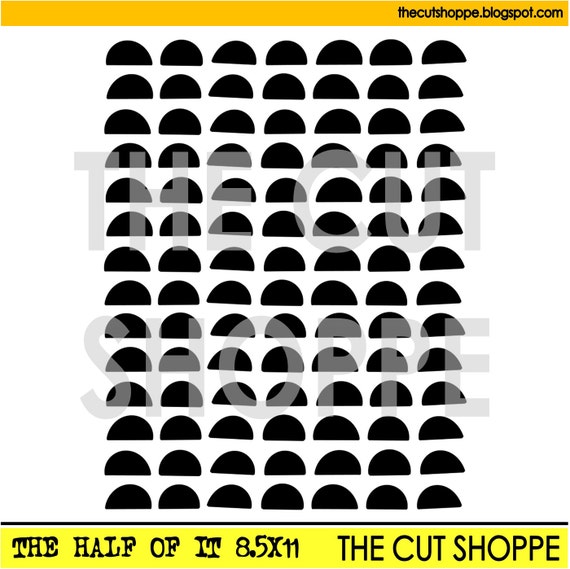
A couple of days ago Ashley released a bunch of new cut files among them was "The Half of It" background design.


I started by editing the cut file in Silhouette Studio. I used the offset tool to create a border and turn the holes of the cut file into a "lace". I increased the size of the gap till most of the lines were touching so the cut file would stay all in one piece.


Once it was cut, I decided to try something different. I usually back my cut files with pattern paper and then use a piece of cardstock as my base. In this case, I chose a pattern paper to be my background and backed my cut file using colorful pieces of cardstock.


I stuck the cut file on my base using some foam dots and then I painted the open areas with white ink.


To embellish the page, I chose some bits from my December Hip Kits. I fussy cut some flowers and also picked a few words from the exclusive cut apart sheet and ephemera pack.


I also used a couple of products from the Paige Evans "Take me Away" collection as layers behind my photo and also to embellish.

It was a rather time consuming layout considering the time spent to back the cut file with cardstock but it was fun. I really hope I helped you get inspired to create something with your cut files. Until next time, happy scrapping :)

Friday, July 29, 2016

Sweet.

Hello there, friends! Enza here today to share a new layout featuring one of my favorite cut files ever. It is called Spinwheels. I love how versatile and fun the design is!


This is a picture of my little one. She is two and, for sure, full of personality. My idea was to create a soft and dreamy, yet colorful page. The cut file, as well as the patterned papers I picked, made it easy to achieve the look I had in mind. I found this Heidi Swapp paper pad at my local Michaels in the Marquee letter section of the store. I knew that was meant to decorate the letters, but it was too beautiful to pass up. It is very thin paper, so hard to use on its own, but perfect to back up cut files.

I opened the cut file in my Cameo and removed some of the pinwheels from the center, in order to create a diagonal design. Then, I isolated one of the shapes and outlined it with the offset option. I duplicated it several times, modifying the size. I wanted to give some movement and different textures to the layout. That is also why I used foam dots under the pinwheels and stitched around them.


Some mixed media, fussy cut flowers, and rub-ons from the Amy Tangerine Better together collection finished the layout.


I hope you felt inspired and will give the Spinwheels cut file a try. This and a lot more fun designs can be found in The Cut Shoppe Etsy store.

Thank you for stopping by.

Have a great day!


Sunday, July 24, 2016

Meet Cute

Happy Sunday! I hope you're all enjoying your weekend! Kelly here today and I have another layout plus a process video to share with you! I recently came across this photo of my son from 2010 and I absolutely loved his expression so I had to scrapbook it right away!


I started by pulling the Plus Infinity Background Cut File into Cricut Design Space and sliced out individual plus signs to create a random background on a piece of 12x12 patterned paper from the Simple Stories Sunshine & Happiness Collection. I backed the cut file with a patterned paper from Amy Tangerine's Stitched Collection. Before machine stitching those pieces onto the layout I added a little mixed media peeking out from behind the cut file to help bring out the yellow in the layers behind my photo.


I scattered a few of the plus signs that were left over from the Plus Infinity Cut File around the photo and added stitching through them for added texture. I also tossed in a flair button from my stash, a Heidi Swapp chipboard & acrylic piece, and odds & ends from American Crafts. No layout is complete without a little Heidi Swapp Color Shine splatter & enamel dots!


Here's a process video showing how all of this came together!! 


You can check out all of the amazing cut files by visiting The Cut Shoppe Etsy Store! Thanks for stopping by today!!


Monday, April 25, 2016

I Love You, Teddy

Hello there! I'm excited to be sharing a layout with you today using the new Open Letter Alpha cut file!


While there are many ways to use this cut file, I chose to use it as a large part of my title. 


I welded the word "Teddy", then cut it out and backed it with patterned paper. I anchored it on the middle of the page, and built my layout around it by adding my photo and the rest of my title.  If the focal point of your layout is something other than a picture, I find it's easiest to start with that, and then add the photos and other elements. This provides flexibility to resize/print photos if needed!


I used mist to paint the "XOXO" wood veneer black so it coordinated with the page.


I have plans on using this cut file for a title that takes up the whole page, and to also use the letters on a smaller scale. There are so many possibilities! Thank you for joining me, have a great day!


Wednesday, January 20, 2016

Borderlines Too-Photo Love

Hello Cut Shoppe friends!  Candace back with you today to share a simple layout made with my favorite border cut file, Borderlines Too.

https://www.etsy.com/listing/200644445/the-borderlines-too-cut-file-consists-of?ref=shop_home_active_1&ga_search_query=borderlines

This cut file is so versatile!  I can't even count how many times I have used this one cut file on my layouts and cards.  I especially adore the sketchy hearts!  Which is why I chose to use this cut file today.

Many of you already know that I am a mom of four crazy boys so I don't get to play with the girly scrapbooking goodies very often.  I took this photo of my little niece a few months back and it was just begging for a layout.  I love this simple, beautiful photo of her so I wanted to keep the layout simple and sweet too.

Here is a look at the final layout...


and a few close ups....


Thanks for stopping by today!  Don't forget to link up your projects!  We just love to see what you create!
Candace